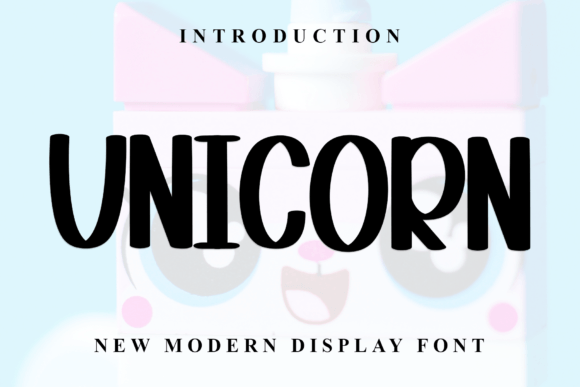
Unicorn: A Stylish Display Font for Modern Designs
When a design calls for a touch of elegance without feeling overly formal, finding the right typeface can feel like a quest. Enter Unicorn, a display font that bridges the gap between contemporary style and classic grace. Its balanced, varied letterforms are designed to bring a polished, professional feel to a wide range of creative work.
A Blend of Classic Calligraphy and Modern Form
Unicorn draws its inspiration from timeless calligraphy, but it translates that influence into a clean, contemporary aesthetic. The result is a font with impeccable form and a sophisticated atmosphere. Unlike more rigid display fonts, it offers a sense of flow and personality, making it a versatile asset for designers who value both beauty and clarity. This isn't just another script font; it's a carefully crafted typeface meant to elevate your projects.
Where This Creative Font Truly Shines
Thinking about where to use Unicorn? Its stylish nature makes it a perfect fit for projects that aim to leave a lasting impression. Consider it for:
- Brand Identity & Logo Design: Create memorable logos and brand marks for boutique businesses, lifestyle brands, or premium products.
- Editorial & Packaging Design: Add a luxurious touch to magazine headlines, book titles, or upscale product packaging.
- Event Stationery: Design stunning invitations, greeting cards, and announcements for weddings, galas, or special launches.
- Digital Presence: Use it for impactful hero sections on websites, social media graphics, or presentation title slides.
Its versatility extends to merchandise, poster design, and any digital product where a premium feel is desired.
Unlocking Its Full Potential with PUA Encoding
A major practical advantage of Unicorn is its PUA encoding. This technical feature means that all of its special characters, stylistic alternates, and beautiful ligatures are easily accessible. You don't need advanced design software to use them. Whether you're working in a basic graphic design tool or a professional suite, you can explore and implement these unique glyphs to add custom flair and avoid repetitive letter combinations in your text.
Pairing Unicorn with Other Typefaces
For a harmonious design, Unicorn works best when paired with simpler, more neutral fonts. Since it's a display font with strong character, it should be the star of the show.
- With Sans Serif Fonts: Pair it with a clean sans serif like Montserrat or Open Sans for body text. This creates a beautiful contrast and ensures excellent readability.
- With Serif Fonts: For a more traditional or editorial look, a classic serif like Playfair Display or Lora can complement its calligraphic roots.
The key is to use Unicorn for headlines, titles, or short, impactful text, while letting its partner font handle longer paragraphs.
Making the Right Choice for Your Project
Before downloading, consider the specific needs of your project. Unicorn excels in contexts where visual appeal and a sense of luxury are paramount. It's less suited for lengthy body copy where maximum legibility at small sizes is the primary goal. Always check the licensing terms to ensure they cover your intended commercial use, whether for client work, merchandise, or digital sales. A well-chosen font is a foundational design asset that influences how your audience perceives your brand's professionalism and attention to detail.
Choosing a typeface like Unicorn is an investment in your project's visual language. It offers a blend of artistic flair and practical functionality, helping you create designs that feel both intentional and beautiful. When your work requires that extra layer of polish and personality, a font with this level of thoughtful design can make all the difference.